Bosch HomeCom Easy & MyBuderus App: Functions, Limitations and Problems
Anyone who has purchased the Bosch Connect-Key or the Buderus wireless module for their heat pump can use the Bosch HomeCom Easy or Buderus MyBuderus app to:
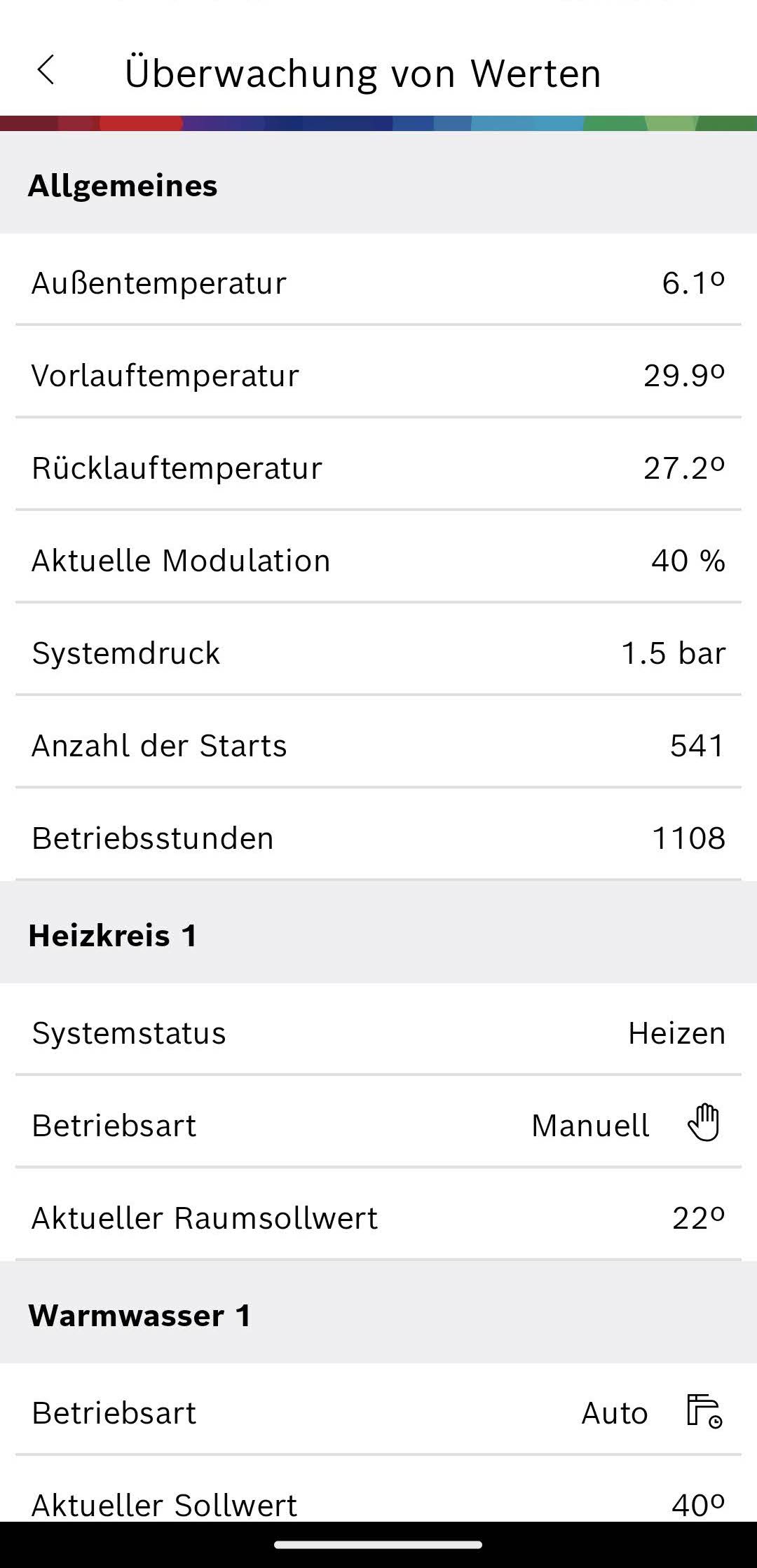
- monitor values,
- make settings, and
- view energy consumption.
| Bosch | Buderus | |
|---|---|---|
| Android | HomeCom Easy | MyBuderus |
| iOS | HomeCom Easy | MyBuderus |
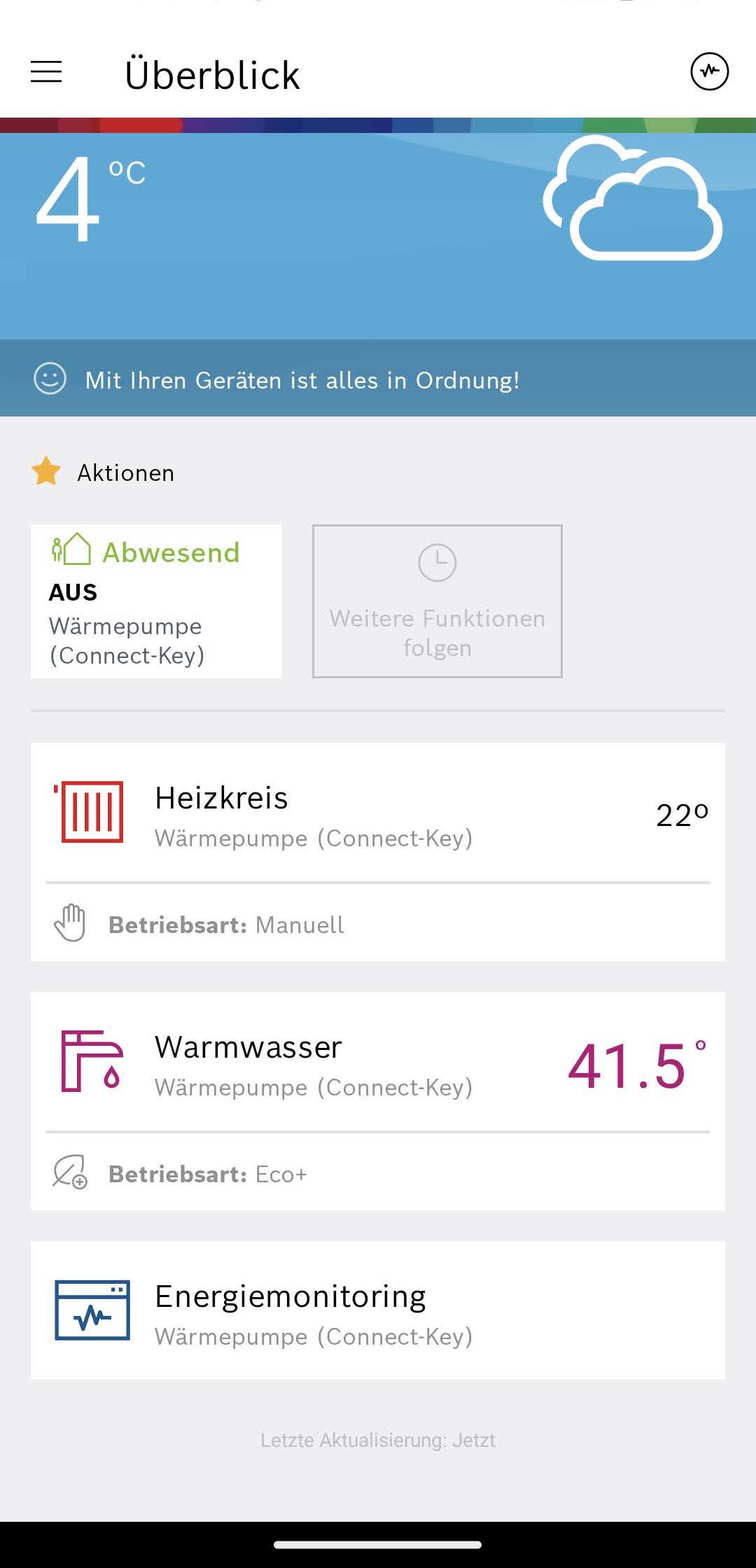
Home screen
The following functions can be accessed from the home screen:
- Menu (3 lines at the top left):
- Devices
- Notifications
- Personalize
- Settings
- Energy monitoring (icon at the top right)
- Actions: change presence status
- Heating circuit:
- Operating mode:
- Off: Heating is off
- Manual: Heating is operated continuously
- Auto: The target room temperature is selected automatically based on the time of day and the time program settings, e.g. to implement a night setback
- Manual target room temperature setting
- Boost
- Time programs for operating mode=Auto
- Operating mode:
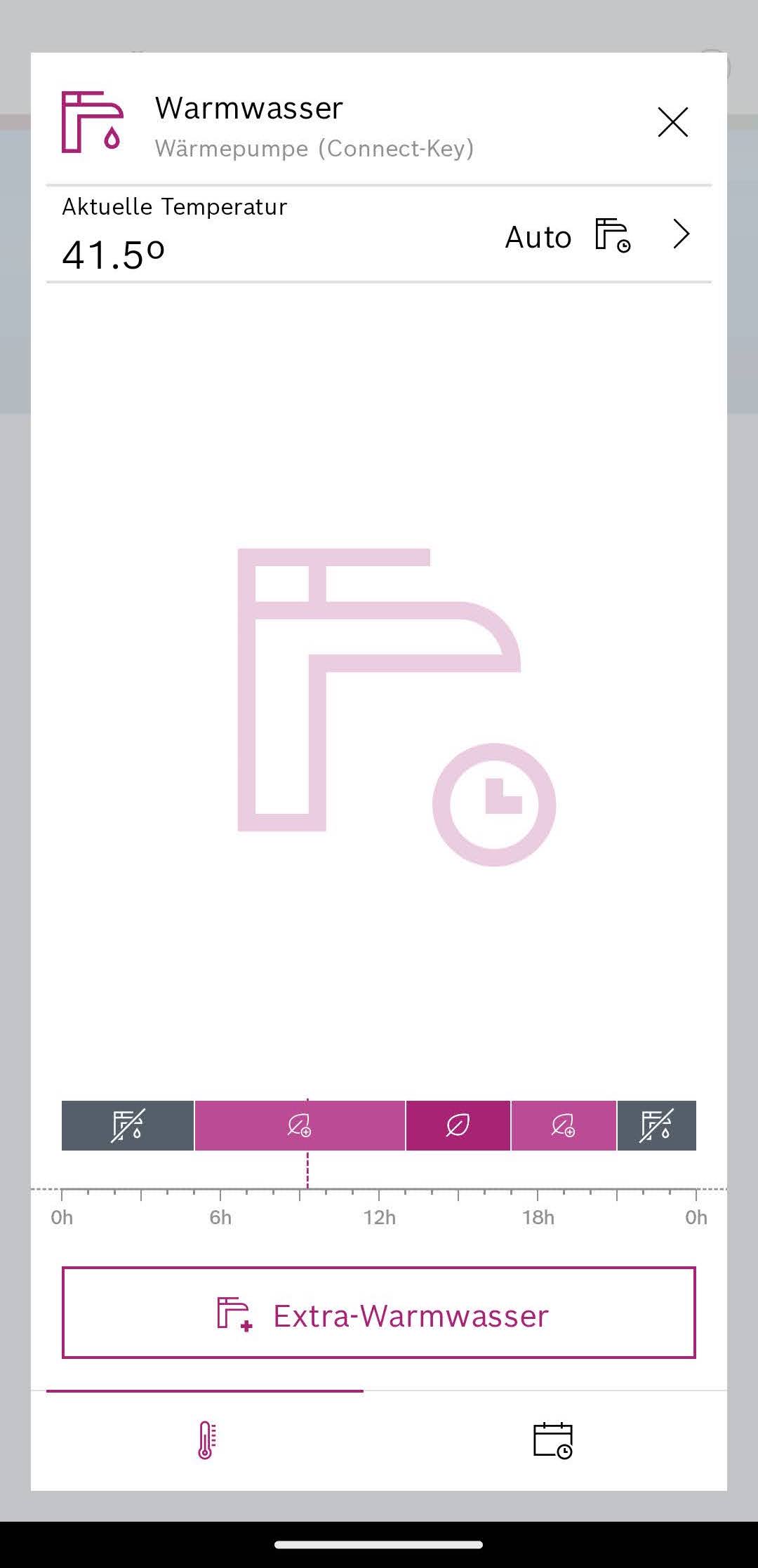
- Domestic hot water
- Operating mode:
- Off
- Eco+
- Eco
- Comfort
- Auto: The domestic hot water production mode is selected automatically based on the time of day and the time program settings
- Extra domestic hot water
- Time programs for operating mode=Auto
- Operating mode:
- Energy monitoring
Energy monitoring
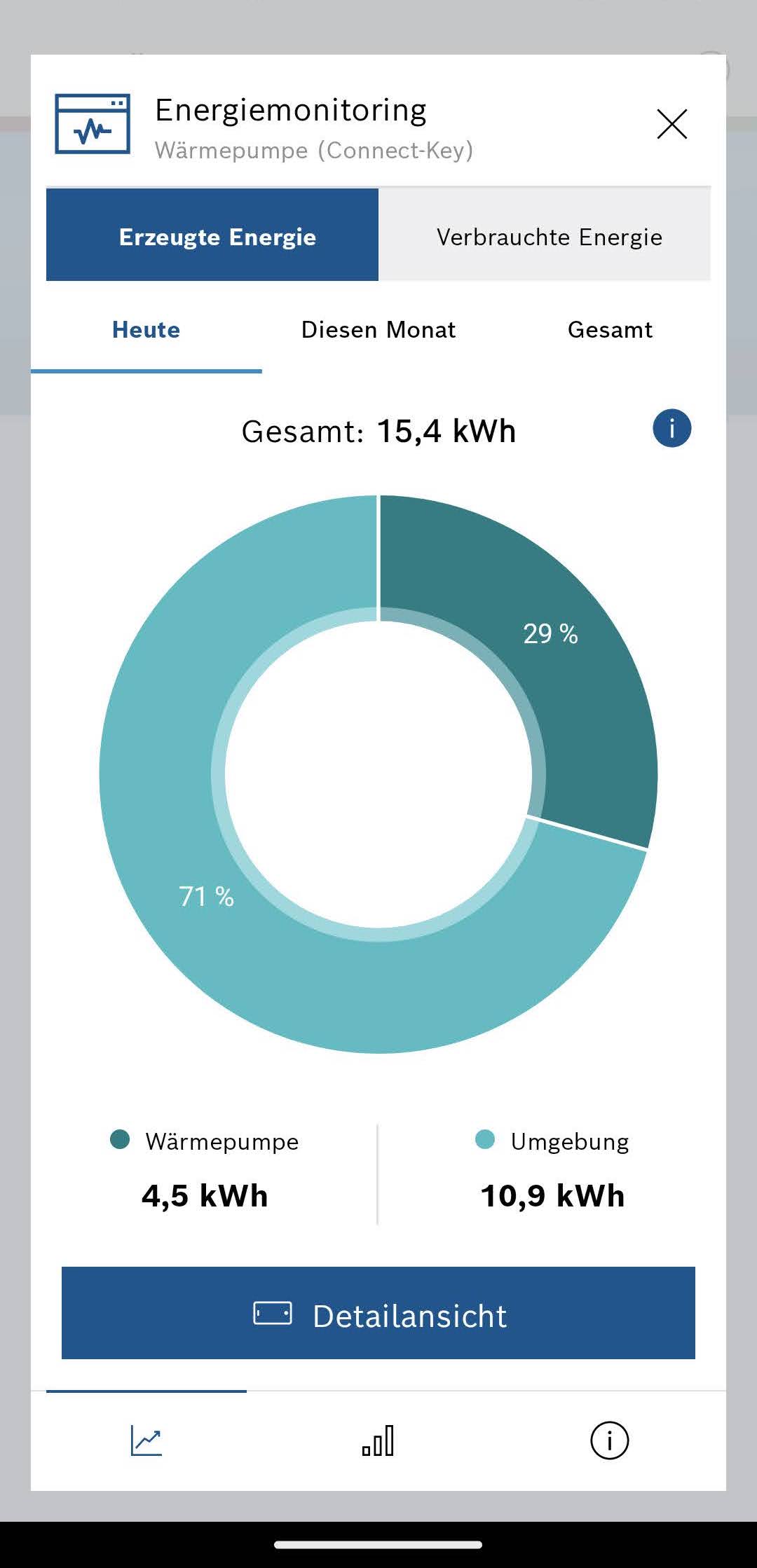
In energy monitoring, you can select between the following 3 areas at the bottom:
- Generated and consumed energy:
- Pie charts (see image above):
- Generated energy: Heat pump (= electrical energy used) vs. Environment (= ambient heat)
- Consumed energy: Additional heater (= electric backup heater) vs. Heat pump (= electrical energy used for heat pump)
- Periods: Today, This month, Total
- Detailed view
- Pie charts (see image above):
- Efficiency:
- Bar chart: Consumed energy vs. generated energy per calendar year
- Share of additional heater in %
- Statistics:
- Total consumption:
- Additional heater: Total energy consumption of the electric backup heater in kWh
- Heat pump: Total energy consumption of the heat pump (without electric backup heater) in kWh
- Total generation:
- Heat pump: Total energy consumption of the heat pump + electric backup heater in kWh
- Environment: Additional heat energy obtained from the environment in kWh
- Overall efficiency:
- Consumed energy: Total energy consumption of the heat pump + electric backup heater in kWh
- Generated energy: Total heat energy generated in kWh
- Total starts:
- Heating: Compressor starts for heating operation
- Domestic hot water: Compressor starts for domestic hot water operation
- Data management:
- Download data: Data is downloaded as a CSV file
- Total consumption:
Criticism
- Values do not always appear to be correct
- The app has long loading times (5–10s)
- Alarms for malfunctions do not work as expected
- Somewhat complicated menu navigation, e.g. to access the current flow temperature